In this article
- Can you pay for Netflix with a virtual card?
- Why Netflix declines your bank card
- What you need before you start
- How to pay for Netflix with a virtual card, step by step
- If you are creating a new Netflix account
- If you already have a Netflix account
- Virtual card or Netflix gift card: which one should you use?
- How to pay for Netflix with a gift card
- Tips to keep your Netflix renewals from failing
- Common Netflix payment errors and how to fix them
- Is it safe to pay for Netflix with a virtual card?
- Conclusion
Netflix is available in almost every country, but paying for it is not always easy. Many people outside the US and Europe see "Your card was declined" the moment they enter their local bank card, or their membership goes on hold after a renewal fails. The simplest fix is to pay for Netflix with a virtual card that is built for international online subscriptions.
In this guide you will learn whether Netflix accepts virtual cards, why bank cards get declined, how to add a virtual card to a new or existing Netflix account step by step, and when a Netflix gift card is the better choice. Everything here works without a foreign bank account: you fund the card with USDT and Netflix charges it every month like any other Visa card.
Can you pay for Netflix with a virtual card?
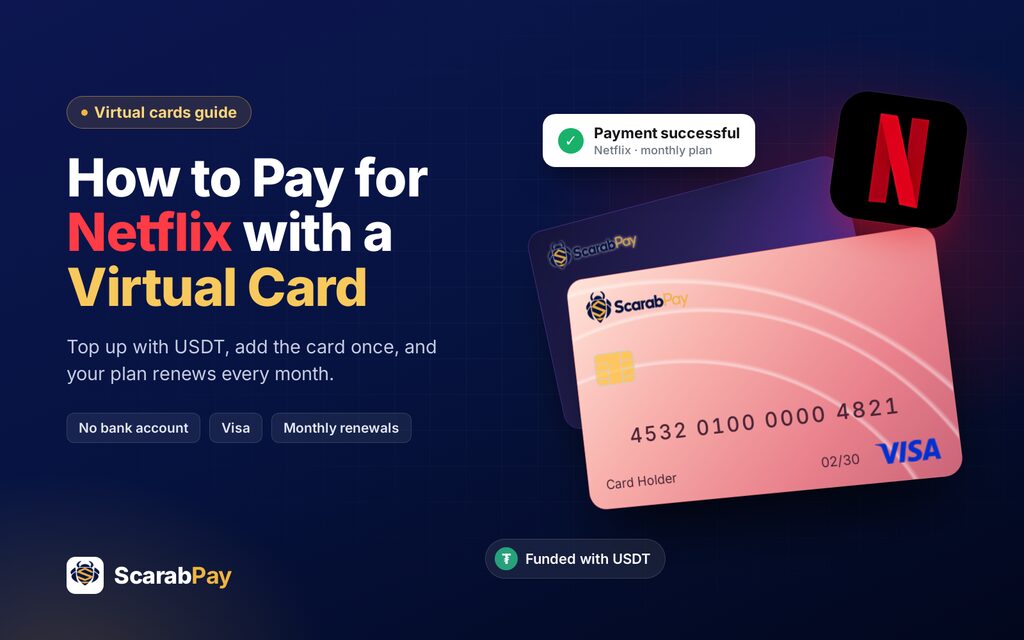
Yes. Netflix states on its official payment help page that it accepts credit, debit and virtual cards carrying the Visa, Mastercard, American Express or Discover logo. The important condition is that the card must be enabled for recurring automatic e-commerce payments, because Netflix charges the saved card again on every billing date.
That condition is exactly where most local cards fail. A virtual card designed for online subscriptions, such as a ScarabPay virtual Visa card, supports recurring international charges by default, so Netflix can renew your plan month after month without any action from your bank.
Key point: Netflix does not care whether your card is physical or virtual. It only needs a card that accepts international, recurring online payments and has enough balance on the billing date.
Why Netflix declines your bank card
Before switching cards, it helps to understand why the payment failed. Almost every Netflix payment error comes down to one of these reasons:
- International payments are blocked. Many debit cards issued by local banks cannot pay a company abroad, or they need you to switch on international transactions first.
- Recurring payments are not allowed. Some cards accept a one-time online purchase but refuse a stored card that is charged again every month.
- Not enough balance or a currency mismatch. Netflix charges the full plan price, sometimes with local tax, in the currency of your account country. If the card holds exactly the plan price, a small conversion difference is enough for a decline.
- The card is single-use. Disposable or one-time cards work once and then reject the next renewal.
- Your bank flags the charge as suspicious. A first payment to a foreign streaming service often triggers fraud filters.
A reloadable virtual card solves the first four problems at once, and because you control its balance, the fifth one rarely happens.
What you need before you start
- A ScarabPay account with a completed identity check.
- Some USDT in an exchange or crypto wallet to top up your balance.
- A Netflix account, or an email address to create one.
- A browser on your phone or computer, since payment details are managed on netflix.com.
How to pay for Netflix with a virtual card, step by step
The whole process takes about five minutes. You can follow it from your phone or your computer.
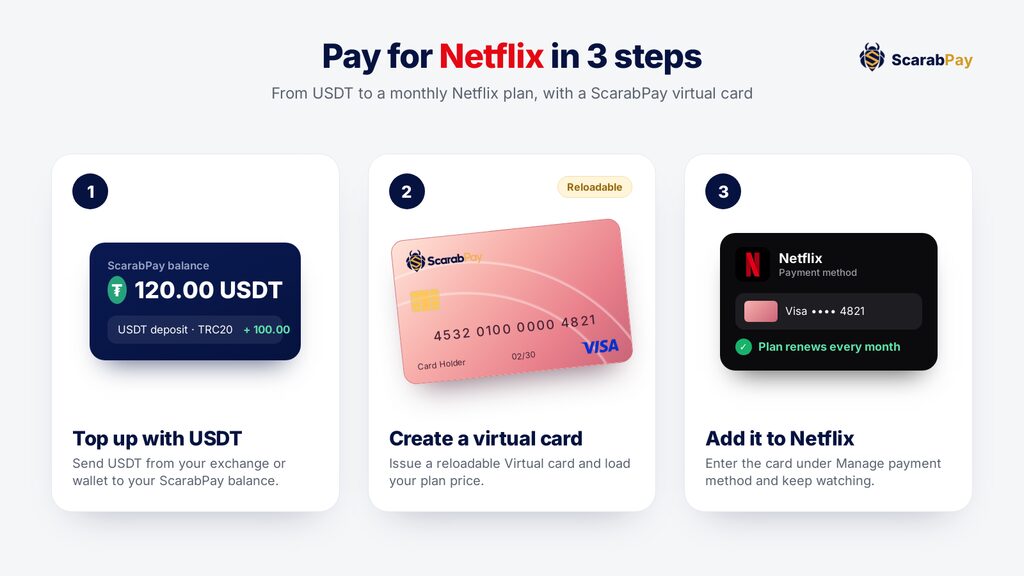
- Create your ScarabPay account. Sign up on the website or in the Android app and pass the short identity verification.
- Top up your balance with USDT. Send USDT from your exchange or wallet to your ScarabPay deposit address. The amount appears in your balance after the network confirms it.
- Issue a reloadable virtual card. Choose the reloadable Virtual card, not a one-time card, and load it with your Netflix plan price plus a small buffer for tax and currency conversion.
- Open netflix.com in a browser. New members go to netflix.com/signup and choose a plan. Existing members open Account and select Manage payment method.
- Enter the card details. Pick Credit or Debit Card and type in the virtual card number, expiry date and CVV shown in your ScarabPay account. Save the card.
- Confirm and start watching. Netflix charges the card and activates your plan. From now on it renews automatically on your billing date.
For a shorter version of these steps, plus the most common decline messages and how to fix each one, see our dedicated Netflix virtual card page.
If you are creating a new Netflix account
Start the sign-up on netflix.com, choose your plan, then enter the virtual card on the payment screen. Netflix shows the price for your country before you confirm, so you know exactly how much to load on the card.
If you already have a Netflix account
You do not need a new account. Sign in, open Account, choose Manage payment method and add the virtual card as your payment method. Your profiles, watch history and current plan stay exactly as they are. If your account is on hold because of a failed payment, adding the funded card and choosing Retry payment usually reactivates it within minutes.
Virtual card or Netflix gift card: which one should you use?
There are two ways to keep Netflix running without a local bank card. Both work well; they simply fit different habits.
| Feature | Virtual card | Netflix gift card |
|---|---|---|
| How Netflix gets paid | Charges the saved card every month | Takes the plan price from prepaid credit |
| Country rules | Works with your account country | Must match your account's country and currency |
| Setup | Add the card once | Redeem a code at netflix.com/redeem |
| When it runs out | Top up the card with USDT | Buy and redeem another gift card |
| Also works for | Other subscriptions, AI tools and ads | Netflix only |
| Best for | Hands-off monthly renewals | Not linking any card at all |
Many people combine both: they redeem gift credit first and keep the virtual card saved as a backup, so the renewal never fails when the credit ends.
How to pay for Netflix with a gift card
If you prefer not to save any card on your account, a gift card is the cleanest option. You can buy Netflix gift cards with USDT for regions such as the United States, the UK, Europe, Saudi Arabia, the UAE and more, and the code usually arrives within minutes.
- Buy a gift card from the same country as your Netflix account.
- Go to netflix.com/redeem in a browser and sign in.
- Enter the code. The credit is added to your account and pays your plan each month until it runs out.
Watch out: a gift card only works when its currency matches your Netflix billing currency. Netflix also does not accept gift codes on accounts billed through Apple or through a partner package, or on extra member accounts paid for by someone else.
Tips to keep your Netflix renewals from failing
- Check your billing date. You can see it under Account, then Membership. Top up the card a few days before that date.
- Leave a small buffer. Prices depend on your account country and may include tax or a currency conversion, so keep a little more than the plan price on the card.
- Use a reloadable card. A one-time card works for the first month and then declines the renewal.
- Use the same card for other subscriptions. One funded virtual card can pay for Netflix, music, cloud storage and AI tools.
- Keep your Netflix email secure. Turn on a strong password so nobody can change your plan or payment method.
Common Netflix payment errors and how to fix them
| Error message | Likely cause | Fix |
|---|---|---|
| Your card was declined | The card blocks international or recurring payments | Add a reloadable virtual card made for subscriptions |
| We are having trouble with your current payment method | Not enough balance on the billing date | Top up the card, then choose Retry payment |
| This card cannot be used for this purchase | A one-time or restricted card | Switch to the reloadable Virtual card |
| The gift code does not match the country | Gift card currency differs from your account | Buy a gift card for your account's country |
Is it safe to pay for Netflix with a virtual card?
Paying with a virtual card is often safer than using your main bank card. The card exists only online, it holds only the amount you load on it, and you can freeze it from your account if you ever suspect a problem. Your real bank details are never shared with Netflix or any other merchant.
Tip: Never share your card number, CVV or Netflix password with anyone who offers to "activate" a subscription for you. Add the card yourself on netflix.com.
Conclusion
You do not need a foreign bank account to watch Netflix. A reloadable virtual card funded with USDT is accepted by Netflix, renews your plan automatically every month and can be topped up whenever you want. If you would rather not link a card at all, a Netflix gift card for your account's country does the same job from prepaid credit. Pick the option that suits you, add it once, and get back to your shows.
Frequently asked questions
Does Netflix accept virtual cards?
Can I pay for Netflix without a bank account?
Can I change the card on my existing Netflix account?
Why was my virtual card declined by Netflix?
Does a US Netflix gift card work in another country?
Rate this article
The ScarabPay editorial team writes and tests every guide with real ScarabPay accounts, cards and orders before publishing, and updates it when prices or steps change.