In this article
- What is a card BIN number?
- How to read the digits of a card number
- 6-digit or 8-digit BIN?
- Card network prefixes at a glance
- What a BIN reveals about your card
- Why merchants check the card BIN number
- Why the BIN country can differ from yours
- How to look up a BIN safely
- Card BIN number and virtual cards
- Common questions about BINs
- What is a BIN attack?
- Why does my bank card get declined online but not in shops?
- What should I do if a shop rejects my card's BIN?
- Summary
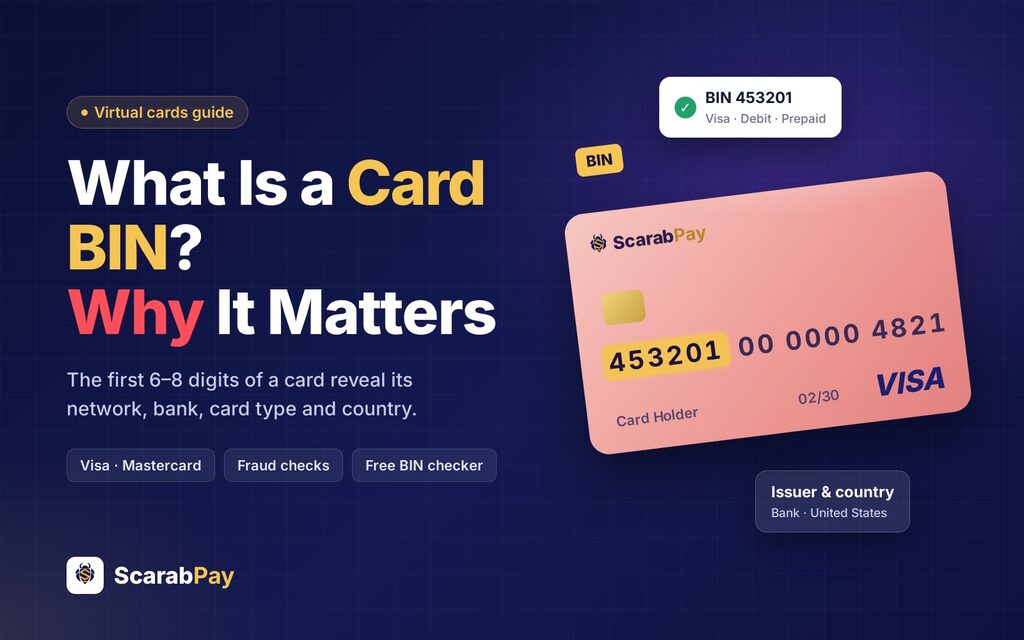
The first digits on your card are not random. A card BIN number – the first 6 to 8 digits of every Visa or Mastercard – tells a shop which network the card runs on, which bank issued it, whether it is debit, credit or prepaid, and in which country it was issued. That small number decides more than most people think: it can be the reason a subscription accepts your card or declines it within a second.
In this guide we explain what a BIN is, how to read the digits of a card number, why merchants check the BIN before they approve a payment, and how you can look up any BIN for free without sharing your full card details.
What is a card BIN number?
BIN stands for Bank Identification Number. Under the international standard ISO/IEC 7812 it is officially called the Issuer Identification Number (IIN), but most people in payments still say BIN. It is the leading part of the card number, and it identifies the institution and the card product behind the card.
Every card that belongs to the same product shares the same BIN. A bank might use one BIN for its classic debit cards, another for platinum credit cards and a third for prepaid or virtual cards. The digits that follow the BIN are what make your card unique.
You can read more about the structure of payment card numbers on Wikipedia.
How to read the digits of a card number
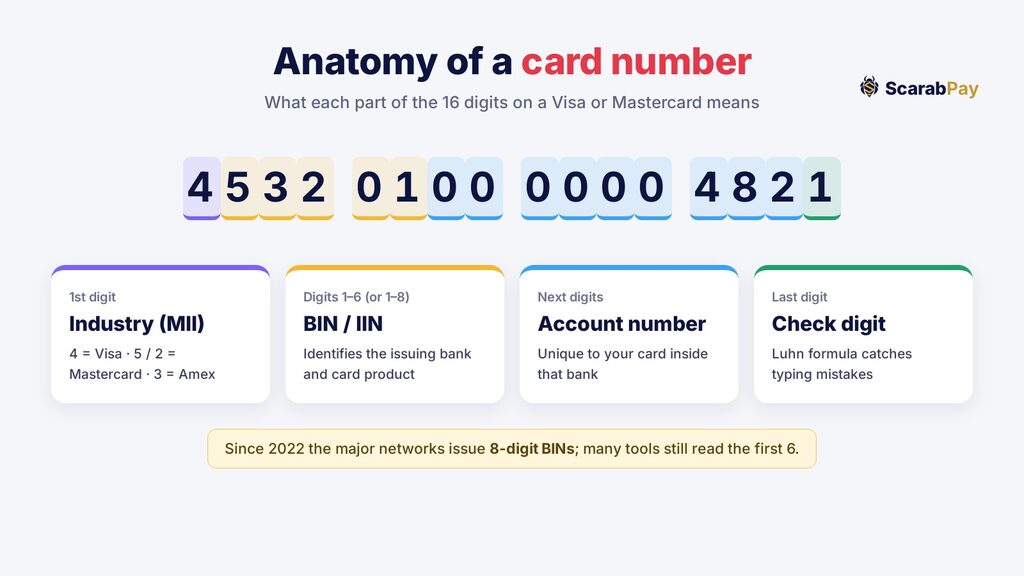
A typical Visa or Mastercard number has 16 digits, split into four parts:
- The first digit (MII): the Major Industry Identifier. A 4 means Visa, a 5 or a 2 means Mastercard, and a 3 usually means American Express.
- The first 6–8 digits (BIN): the issuer and the card product. These include the first digit.
- The following digits: your individual account number inside that bank.
- The last digit: a check digit calculated with the Luhn formula. It lets websites spot a typo before the payment is even sent.
So in the example number 4532 0100 0000 4821, the BIN is 453201. The 4 at the start already tells you it is a Visa card.
6-digit or 8-digit BIN?
For decades the BIN was 6 digits long. Because the world was running out of 6-digit ranges, the industry moved to 8-digit BINs, with Visa and Mastercard switching in 2022. Many tools and merchants still read only the first 6 digits, which is usually enough to identify the network, the bank and the country. When you look up a newer card, entering 8 digits gives the most precise result.
Card network prefixes at a glance
You can often tell the network from the first one or two digits alone, even before a full lookup. These ranges come from the networks' own numbering rules:
| Network | Card numbers start with | Usual length |
|---|---|---|
| Visa | 4 | 16 digits |
| Mastercard | 51–55 and 2221–2720 | 16 digits |
| American Express | 34 or 37 | 15 digits |
| Discover | 6011, 65 and 644–649 | 16 digits |
| UnionPay | 62 | 16–19 digits |
The prefix only tells you the network. To learn the bank, the card type and the country you need the full card BIN number, which is what a BIN lookup reads.
What a BIN reveals about your card
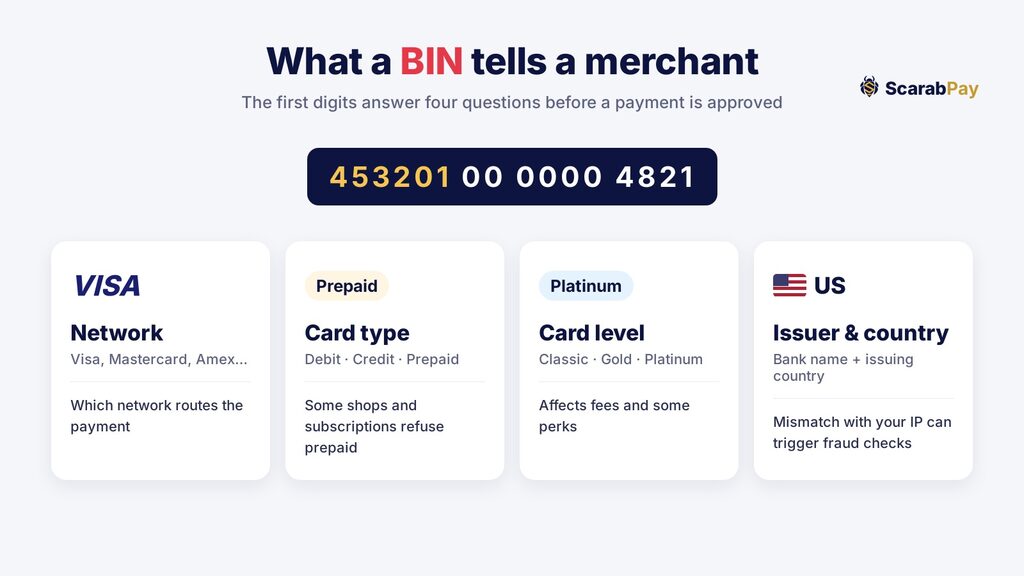
A BIN lookup typically returns:
- Network: Visa, Mastercard, American Express, UnionPay and so on.
- Card type: debit, credit or prepaid.
- Card level: for example Classic, Gold, Platinum or Business.
- Issuer and country: the name of the bank or program and the country where the card was issued.
What a BIN does not reveal: your name, your balance, your address or anything that would let someone spend from your card. That is why the BIN is not considered secret.
Why merchants check the card BIN number
Before a shop approves a payment, its payment system usually checks the BIN within milliseconds. It does this for several reasons:
- Routing: the BIN tells the system which network and bank should receive the authorization request.
- Fraud checks: if the card was issued in one country but the order comes from an IP address in another, risk systems may ask for extra verification or block the payment.
- Prepaid rules: some streaming services, airlines and car rental companies refuse prepaid BINs, or accept them only for certain plans.
- Fees and currency: the merchant can see whether the card is foreign and may show the price in another currency or add a surcharge where allowed.
- 3-D Secure: the BIN helps decide whether to send you an extra confirmation step from your card issuer.
This is why the same purchase can work with one card and fail with another, even when both have enough balance.
Why the BIN country can differ from yours
A BIN lookup shows the country where the card was issued, not where the cardholder lives. This surprises many people. Plenty of virtual and prepaid card programs work with banks in the United States, the United Kingdom or the European Union, and their cards are then used by customers all over the world.
For most purchases this makes no difference. It becomes relevant in three situations:
- Region-locked services: some streaming and app stores tie your account to the country of your card. A US-issued card may switch your store region or show prices in dollars.
- Fraud scoring: a card from one country used from an IP address in another can add risk points. Using the same device and location every time, and completing 3-D Secure when asked, helps your payments go through.
- Currency conversion: if the merchant charges in a currency other than the card's, a conversion fee may apply. Check the card's fee page before large purchases.
How to look up a BIN safely
You only ever need the first 6 to 8 digits to check a card. Use our free BIN checker: type the first digits and you will see the network, card type, level, issuing bank and country in seconds.
A few safety rules:
- Never enter your full card number, expiry date or CVV into a BIN lookup site. A real BIN tool never asks for them.
- BIN databases are compiled from public data and can be out of date. If a result looks wrong, check with your card issuer.
- Be careful with sites that promise to “generate” working card numbers from a BIN. These are used for fraud and can get your accounts banned.
Card BIN number and virtual cards
Virtual cards are real Visa or Mastercard cards without plastic, so they have a BIN just like any bank card. The BIN of a virtual card matters most when you pay for subscriptions and online services:
- A reloadable virtual card usually works better for monthly subscriptions than a one-time gift card, because some services decline gift-card BINs on renewal.
- If a shop declines your card, the BIN is often the reason, not your balance. Trying a different card product is usually the fastest fix.
With ScarabPay you can create a virtual Visa card, top it up with USDT and use it for online payments. If you want to see how this works for a real subscription, read our guide on how to pay for Netflix with a virtual card.
Common questions about BINs
What is a BIN attack?
In a BIN attack, fraudsters take a known BIN and try thousands of generated card numbers in small test payments until some go through. Banks and card programs fight this with velocity limits and fraud monitoring. As a cardholder, the best protection is to watch for small unknown charges and freeze your card in the app if you see one.
Why does my bank card get declined online but not in shops?
Online merchants run stricter BIN and risk checks than a card terminal in a shop. A mismatch between the card country and your location, or a merchant rule against prepaid cards, are the most common reasons.
What should I do if a shop rejects my card's BIN?
First, check the decline message: words like “card not supported” or “prepaid cards are not accepted” point to a BIN rule rather than a problem with your balance. Then try these steps in order:
- Make sure the billing country and address you enter match the details of your card account.
- Complete any 3-D Secure confirmation that appears, and avoid switching VPN locations during checkout.
- If the service blocks prepaid cards, use a reloadable virtual card instead of a gift card, or pay through an app store where the service allows it.
- Contact the merchant's support if nothing works – some services whitelist card programs on request.
Summary
The card BIN number is the first 6 to 8 digits of your card. It shows the network, the issuing bank, the card type and level, and the country of issue – but nothing that lets anyone spend your money. Merchants use it for routing, fraud checks and prepaid rules, which is why it can decide whether a payment goes through. To see what your own card reveals, try our free BIN checker with only the first digits.
Frequently asked questions
Is a card BIN number secret?
Is the BIN 6 or 8 digits?
Can I change the BIN of my card?
Why does the BIN checker show a different country from mine?
Do virtual cards have a BIN?
Rate this article
The ScarabPay editorial team writes and tests every guide with real ScarabPay accounts, cards and orders before publishing, and updates it when prices or steps change.