
How do I create a ScarabPay account?
 The ScarabPay team · Updated 15 October 2026
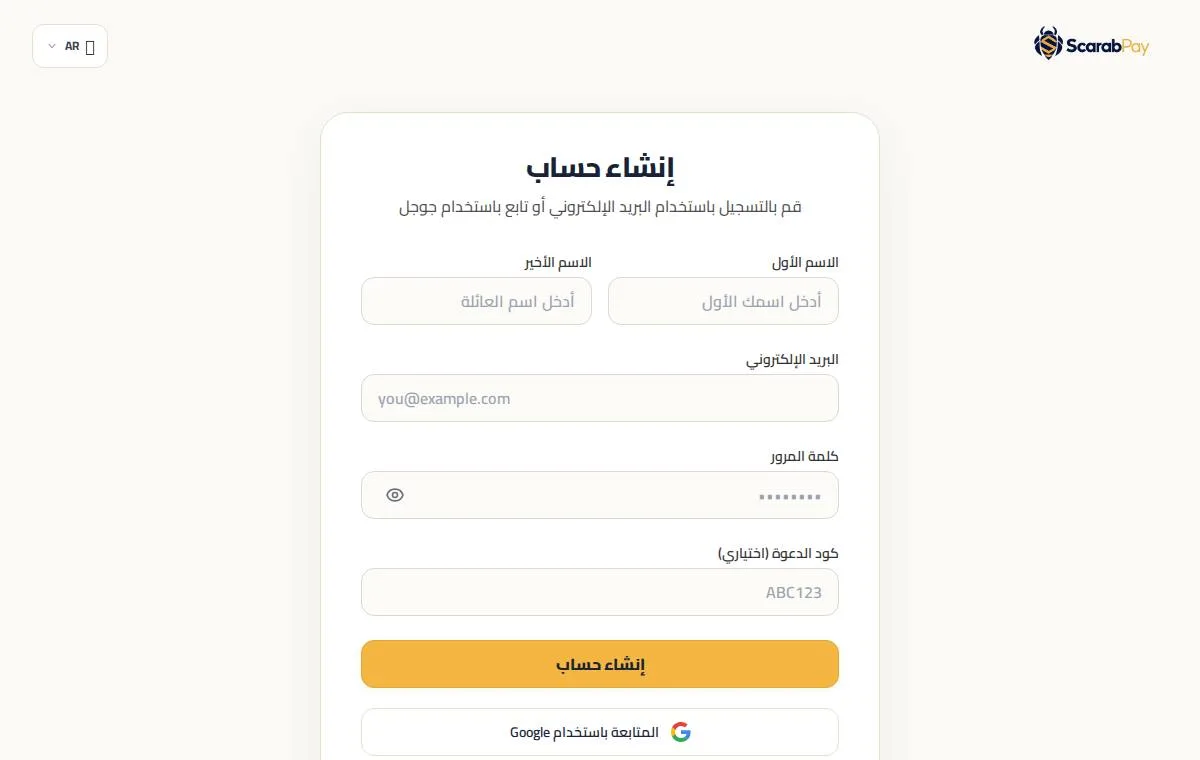
Creating a ScarabPay account is free and takes less than two minutes. You can sign up with your email address or with your Google account.
Sign up with your email
- Open the Create account page on the ScarabPay website or in the app.
- Enter your first and last name exactly as they appear on your ID.
- Enter your email address and choose a strong password.
- If a friend gave you an invitation code, enter it in the Invitation code field.
- Tap Create account, then enter the verification code sent to your email.
ImportantWrite your name exactly as it appears on your ID document, because it is matched during identity verification and card issuing.
Sign up with Google
Tap Continue with Google and choose your account. Your email is confirmed automatically, so no verification code is needed.