
How do I create a project?
 The ScarabPay team · Updated 19 October 2026
A project is your website or bot inside ScarabPay. Every payment, link and API key belongs to a project.
- Open Accept payments from the side menu and tap Create project.
- Choose Website or Telegram bot, then enter the site address or the bot username and a project name.
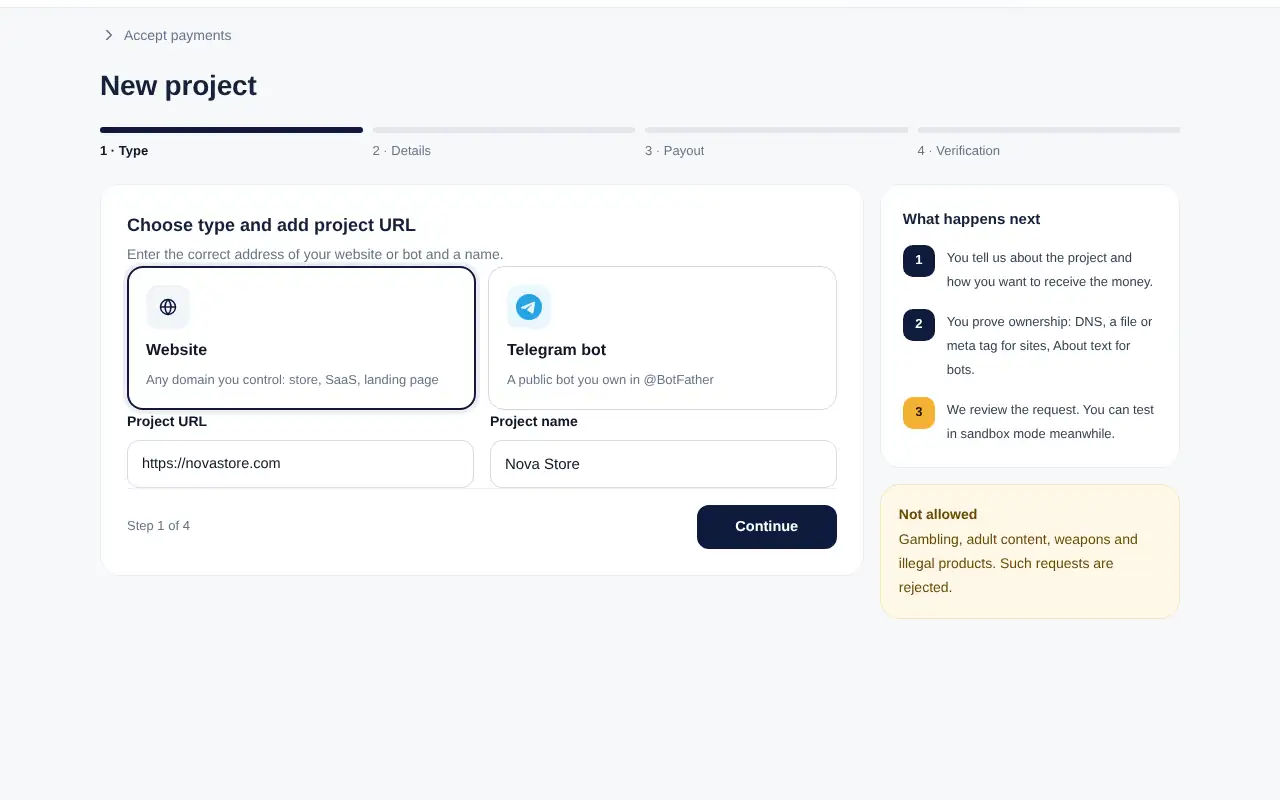
Step 1: project type and address - Add your category, expected monthly volume and a contact email.
- Review how you will receive the money (converted to USD).
- Choose how you will prove ownership, accept the terms and tap Create and verify.
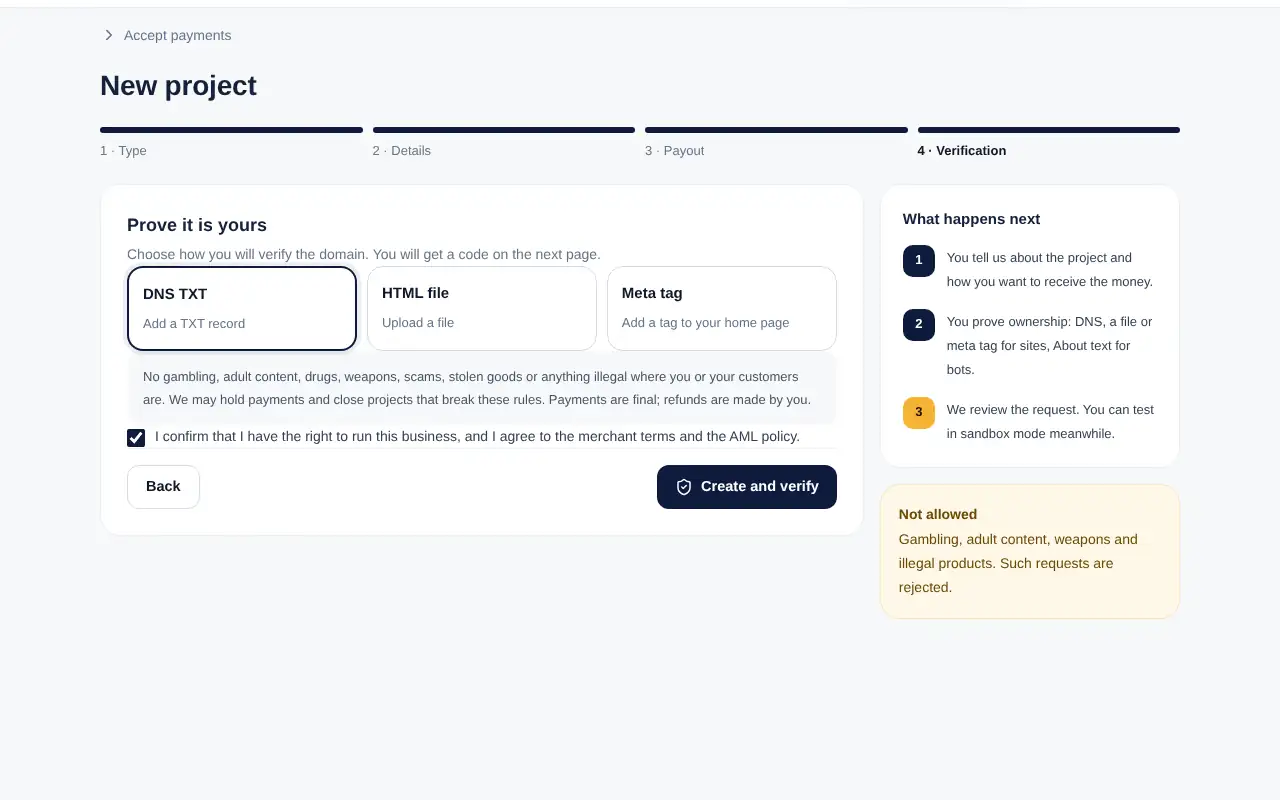
What happens next
- You add a verification code to your site or bot (see the next article).
- Our team reviews the project. You can test in sandbox mode while you wait.
- When the project is approved, its status becomes Active and you can receive real payments.
Not allowedProjects for gambling, adult content, weapons or illegal products are rejected, and payments to them may be held.