
How do I create a payment link?
 The ScarabPay team · Updated 19 October 2026
Payment links are the fastest way to get paid: no website integration is needed. You can send a link in a chat, put it on a button or add it to your bot.
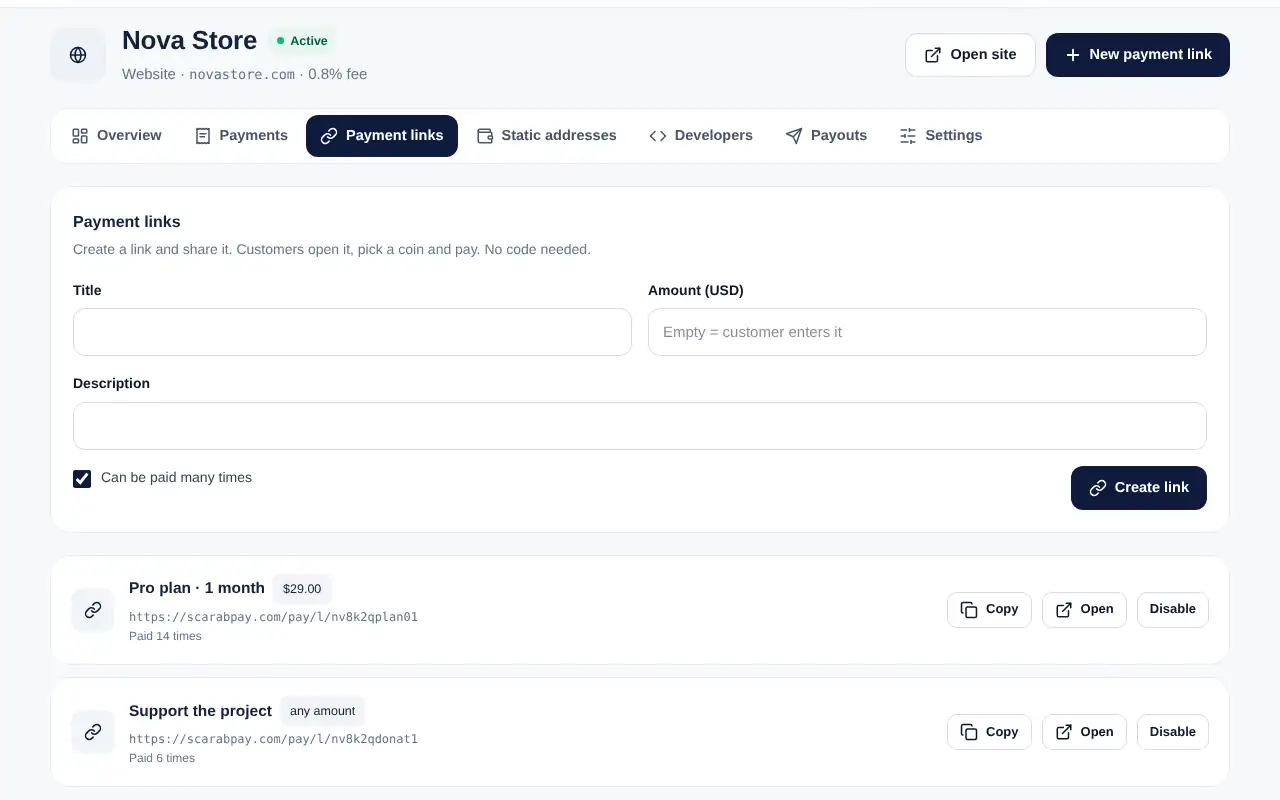
- Open your project and go to the Payment links tab.
- Enter a title and the amount in USD. Leave the amount empty if the customer should enter it, for example for donations.
- Keep Can be paid many times on for a product or a plan, or turn it off for a one-time payment.
- Tap Create link, then Copy and share it.
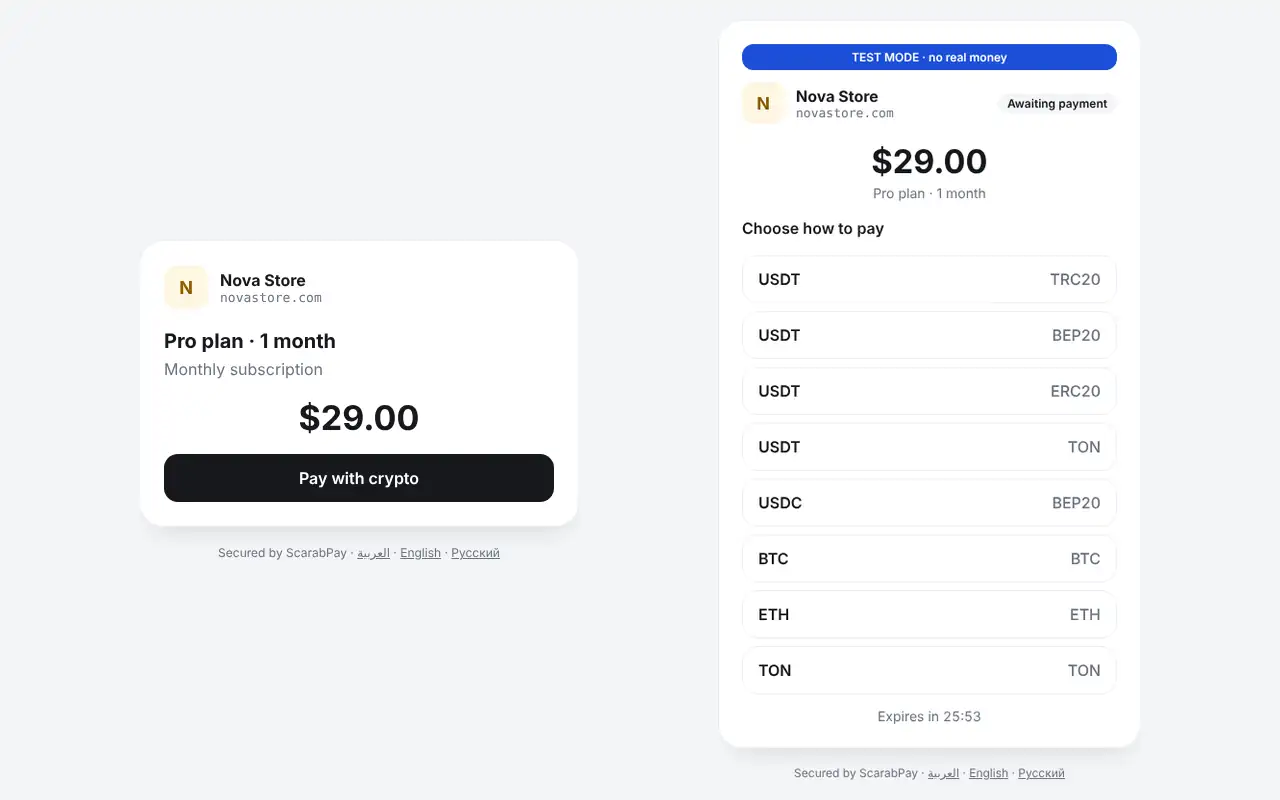
What the customer sees
The customer opens the link, taps Pay with crypto, picks a coin and network and pays the exact amount shown.
Turn a link offUse Disable to stop a link at any time. Payments already made are not affected.