
How do I test payments in sandbox mode?
 The ScarabPay team · Updated 19 October 2026
Sandbox mode lets you try the whole flow before your project is approved or before you launch. Nothing is charged and nothing is added to your balance.
- Use your sandbox key, or tap Create test invoice in the Developers tab.
- Open the payment page. A blue Test mode bar is shown at the top.
- Pick a coin, then tap Simulate payment for a full payment or Simulate partial for an underpaid one.
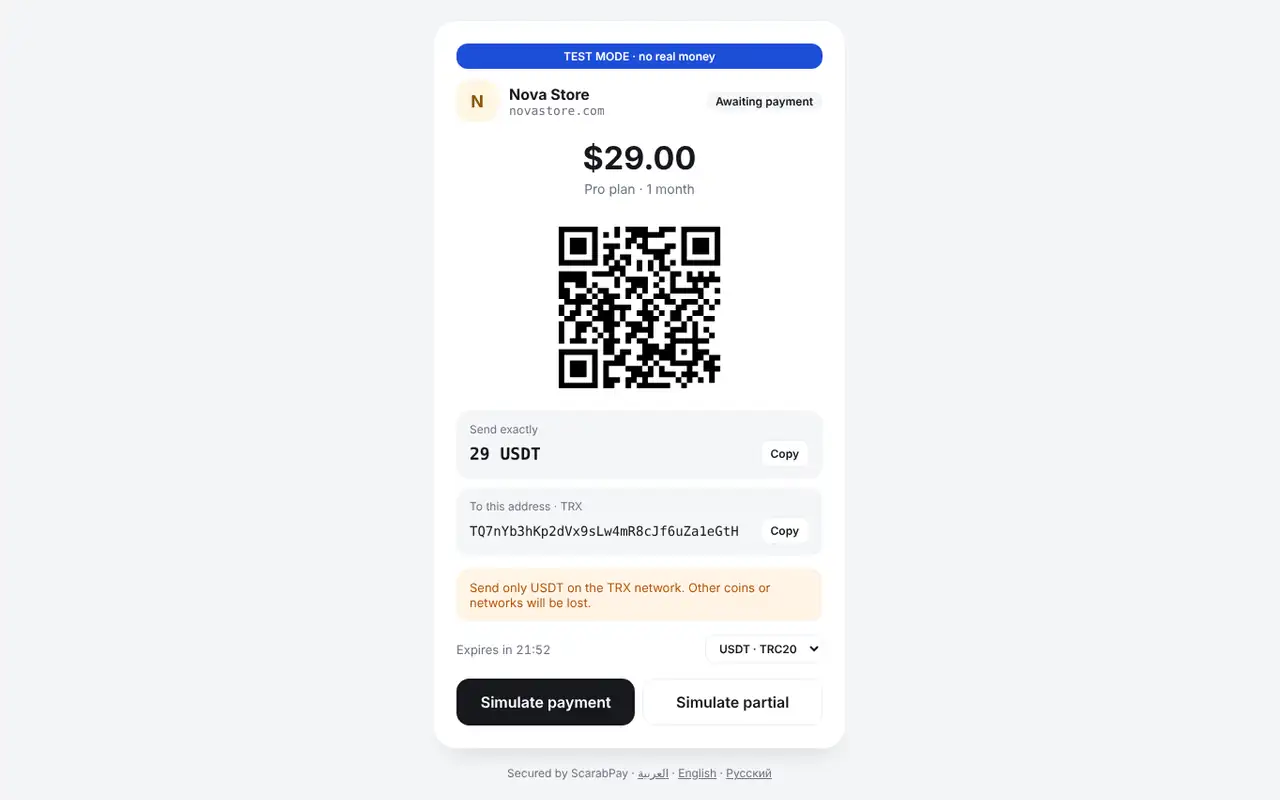
A test invoice with the simulate buttons - Check that your server received the webhook. Test events contain
"sandbox": true.
Before going liveReplace the sandbox key with the live key on your server. Static addresses work in live mode only.