
How do I connect my website or bot with the API?
 The ScarabPay team · Updated 19 October 2026
Use the API when you want orders to be paid and delivered automatically. Your server creates an invoice, sends the customer to the payment page and receives a signed webhook when the payment arrives.
1. Get your keys
Open your project and go to the Developers tab. You get a live key for real payments and a sandbox key for tests.
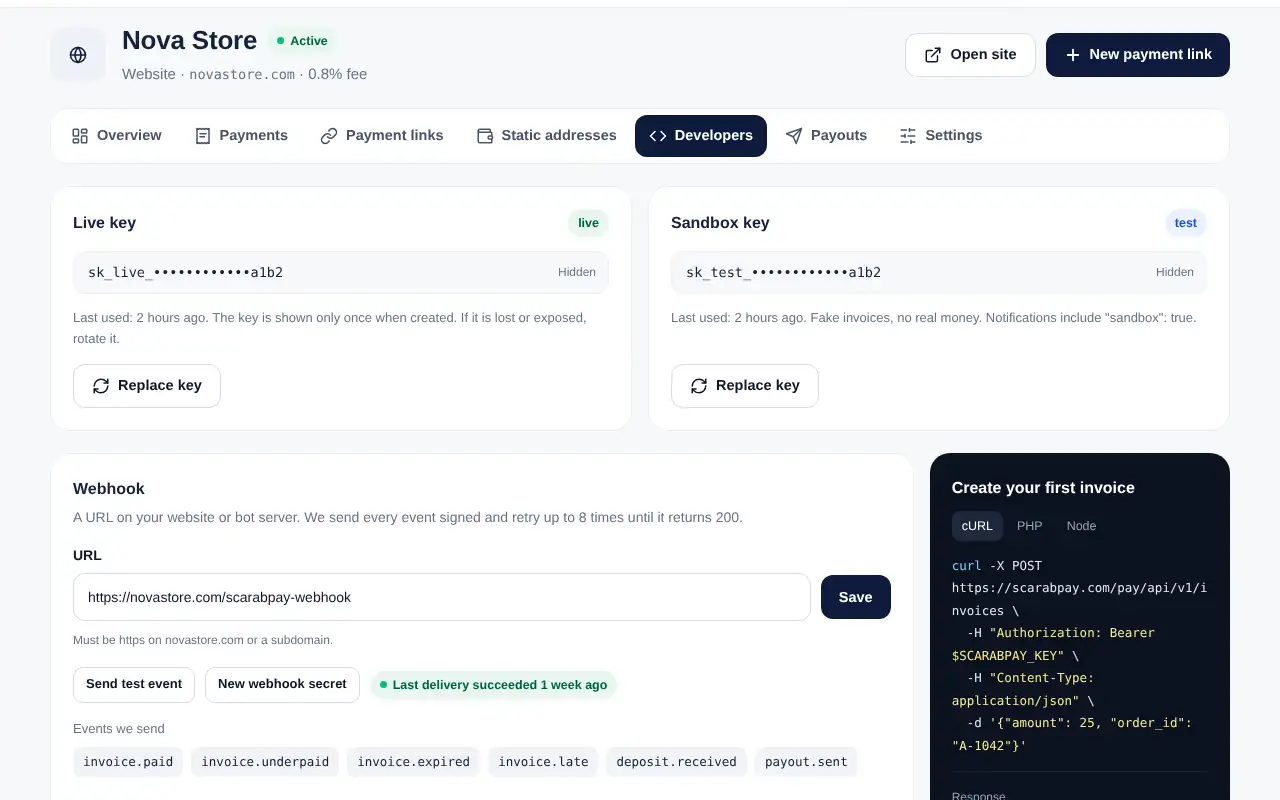
Keep your key secretA key is shown only once. Store it on your server only, never in a mobile app or a public page. If it leaks, tap Replace key.
2. Add your webhook
- Enter the URL on your website or bot server that should receive events, and tap Save.
- Copy the signing secret and keep it on your server.
- Tap Send test event and check that your server answers with status 200.
3. Create invoices
Send a request to create an invoice with the amount and your order number, then redirect the customer to the returned payment link. When you receive the invoice.paid event, deliver the order.
Static addresses
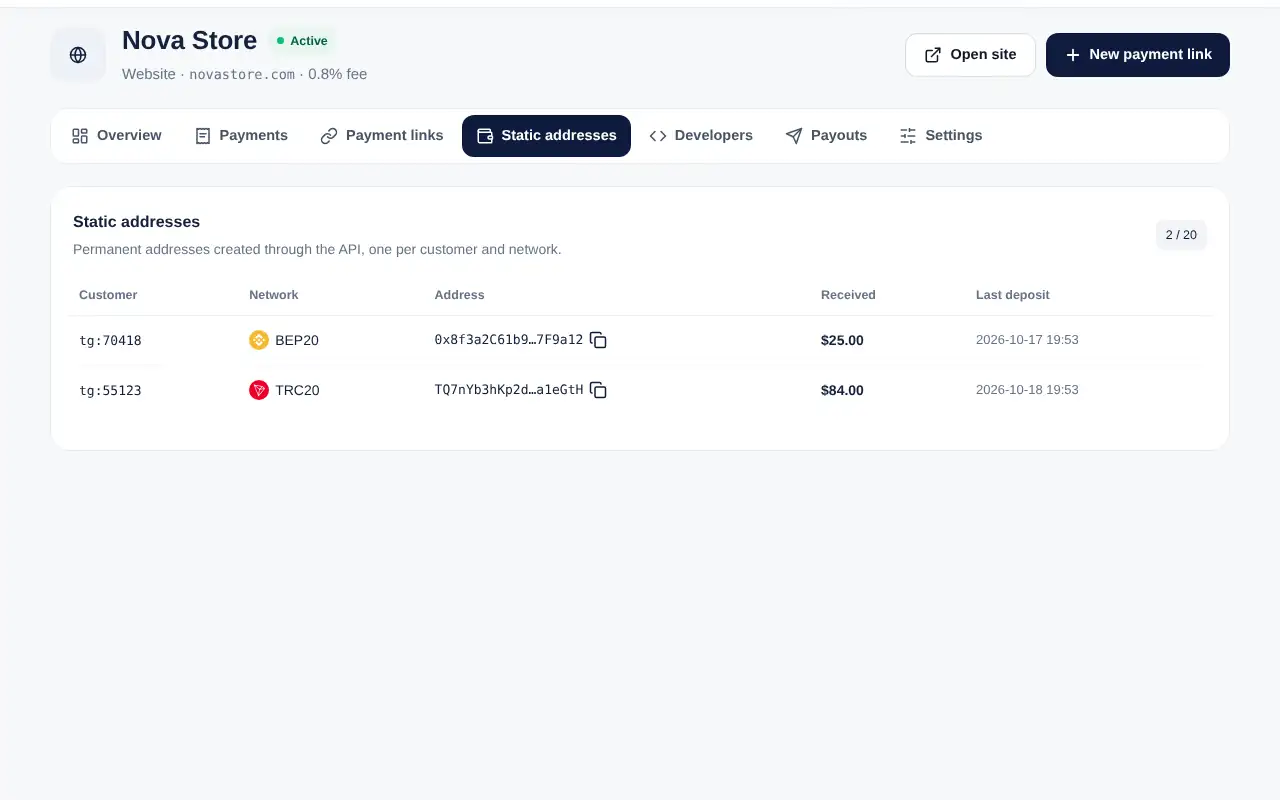
For balance top-ups in bots you can give each customer a permanent deposit address. Every deposit sends a deposit.received event.
Full request examples in PHP, Node.js and Python are in the API documentation.