
How do I verify my website or bot?
 The ScarabPay team · Updated 19 October 2026
Before a project can receive money, you must prove that the website or bot is yours. Open your project, go to the Verification tab and pick one method.
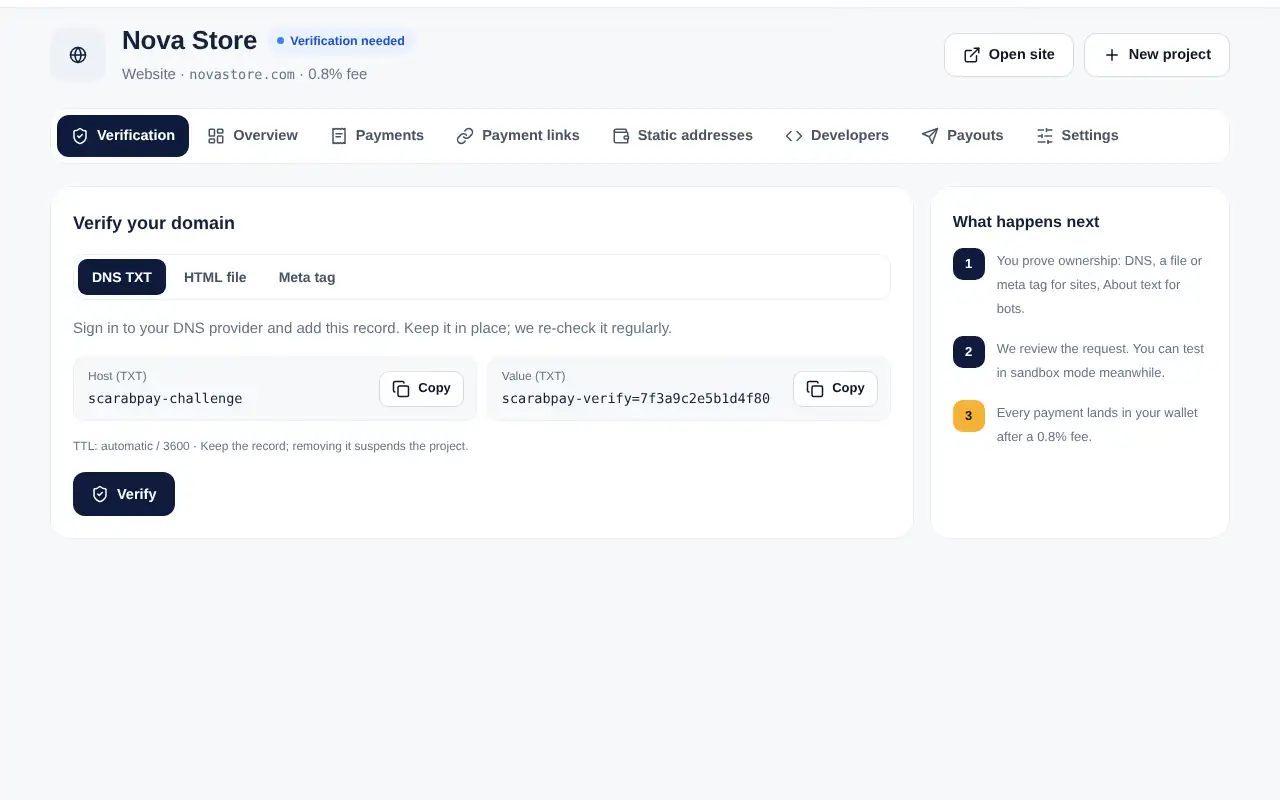
Website: DNS record (recommended)
- Sign in to your domain or DNS provider.
- Add a TXT record with the host
scarabpay-challengeand the value shown in your project. - Go back to ScarabPay and tap Verify. DNS changes can take a few minutes.
Website: HTML file
- Create a file at
/.well-known/scarabpay-verify.txton your domain. - Put the code shown in your project inside it, then tap Verify.
Website: meta tag
Add the tag shown in your project inside the <head> of your home page, then tap Verify.
Telegram bot
Open @BotFather → your bot → Edit Bot → Edit About, add the code at the end of the text, then tap Verify.
Keep the codeLeave the record, file or text in place. We check it again from time to time, and removing it suspends the project.