
How do I track my payments and earnings?
 The ScarabPay team · Updated 19 October 2026
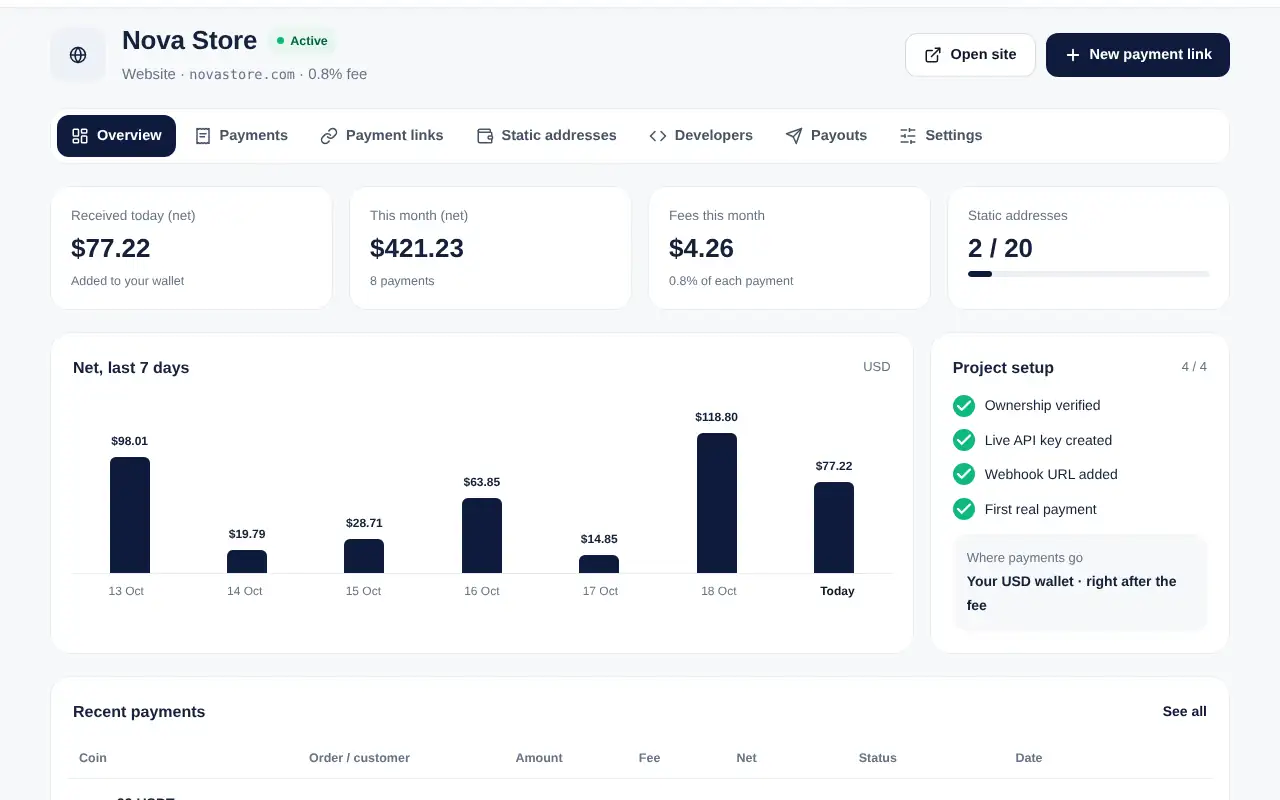
The Overview tab shows what you received today and this month, the fees, a chart of the last 7 days and the setup checklist of your project.
Payments list
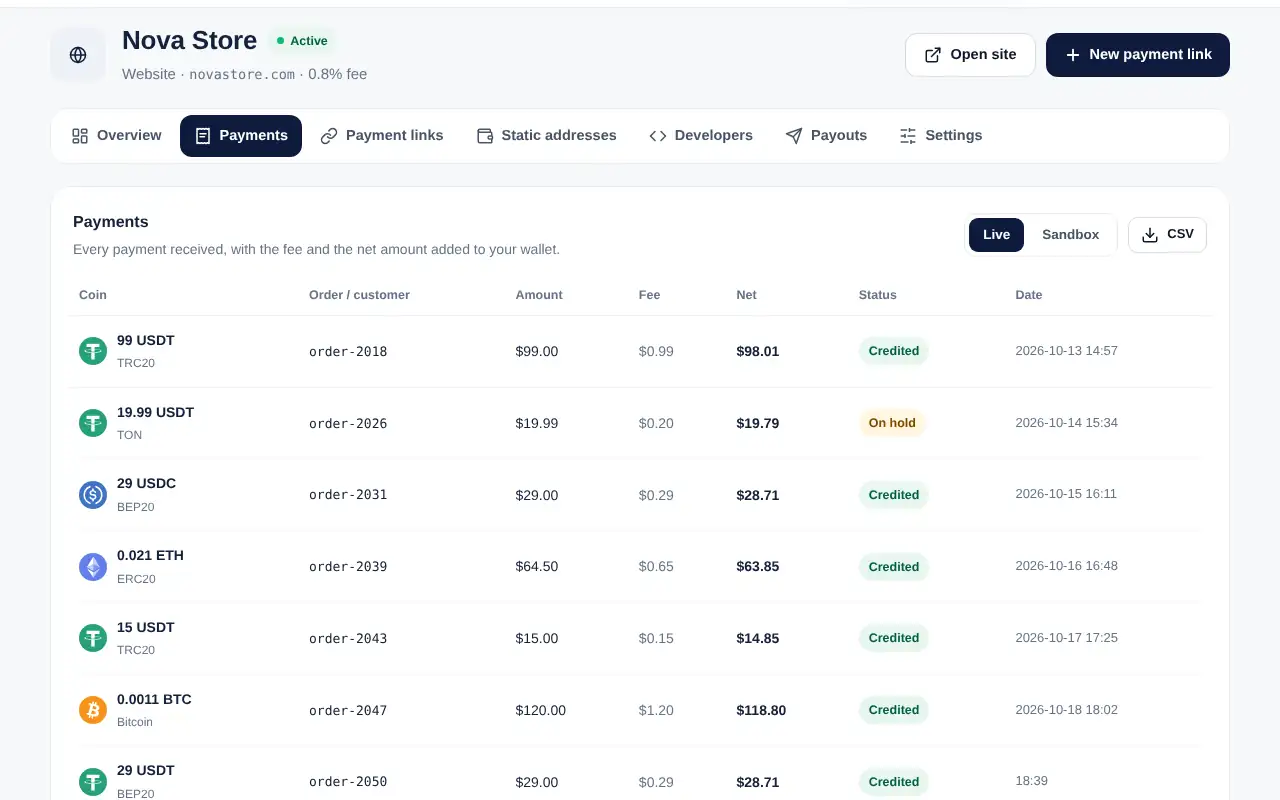
Open the Payments tab to see every payment: coin and network, your order number, amount, fee, net amount, status and date. You can switch to sandbox payments and export the list as CSV.
Payment statuses
- Credited: the net amount was added to your ScarabPay balance.
- On hold: the payment arrived but is waiting for a check, for example when it came after the invoice expired, the project is not active yet or a limit was reached.
- Review: our team is checking the payment.
- Test: a sandbox payment, no real money.
Where the money goes
By default the net amount stays in your ScarabPay balance in USD, where you can use it for cards, transfers or withdrawals. From the Payouts tab you can also send it automatically to your own stablecoin address.