
How do I send an international transfer?
 The ScarabPay team · Updated 20 October 2026
In the app
- Tap Send in the bottom bar and choose International transfer.
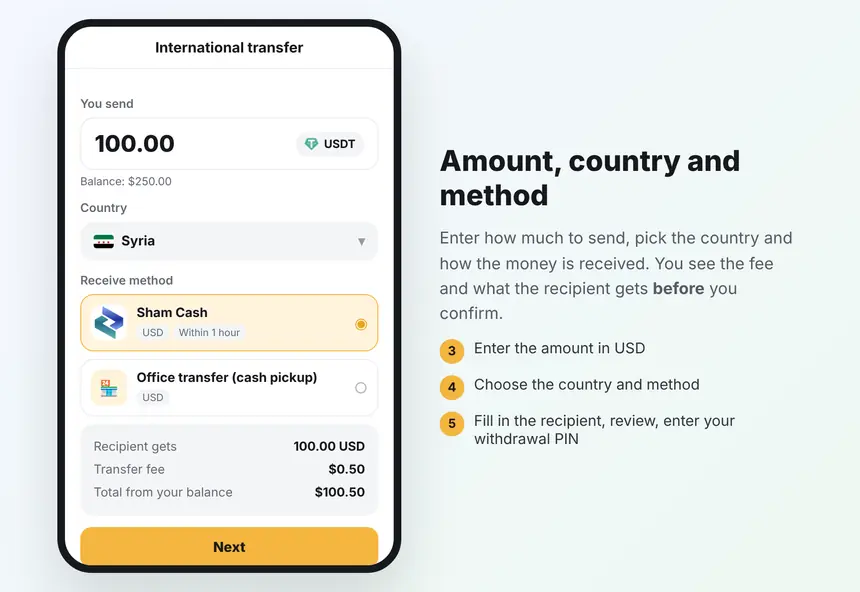
- Enter the amount in USD.
- Choose the country, then the receive method.
- Check what the recipient gets, the fee and the total, then tap Next.
- Fill in the recipient details and choose the reason for the transfer.
- Review everything, tap Send transfer and enter your withdrawal PIN (and your Google code if two-step verification is on).
On the website
From your account, choose Transfer and then International transfer, and follow the same steps.
Once sent, the amount and the fee are taken from your balance and the transfer appears in your transactions.